Roles & Stack
Impact
- Three courts, one queue, one shared game clock
- Court release and next-stack seating handled on the server
- Admin-created accounts with Row Level Security on every table
Year
2026
Category
Web Development
Deliverables
- Open Play queue with stacks and court assignments
- TV board for the club floor
- Admin console for staff
- Player profiles and check-in
- Spoken and on-screen announcements
Inside the product
What I built
06 screens
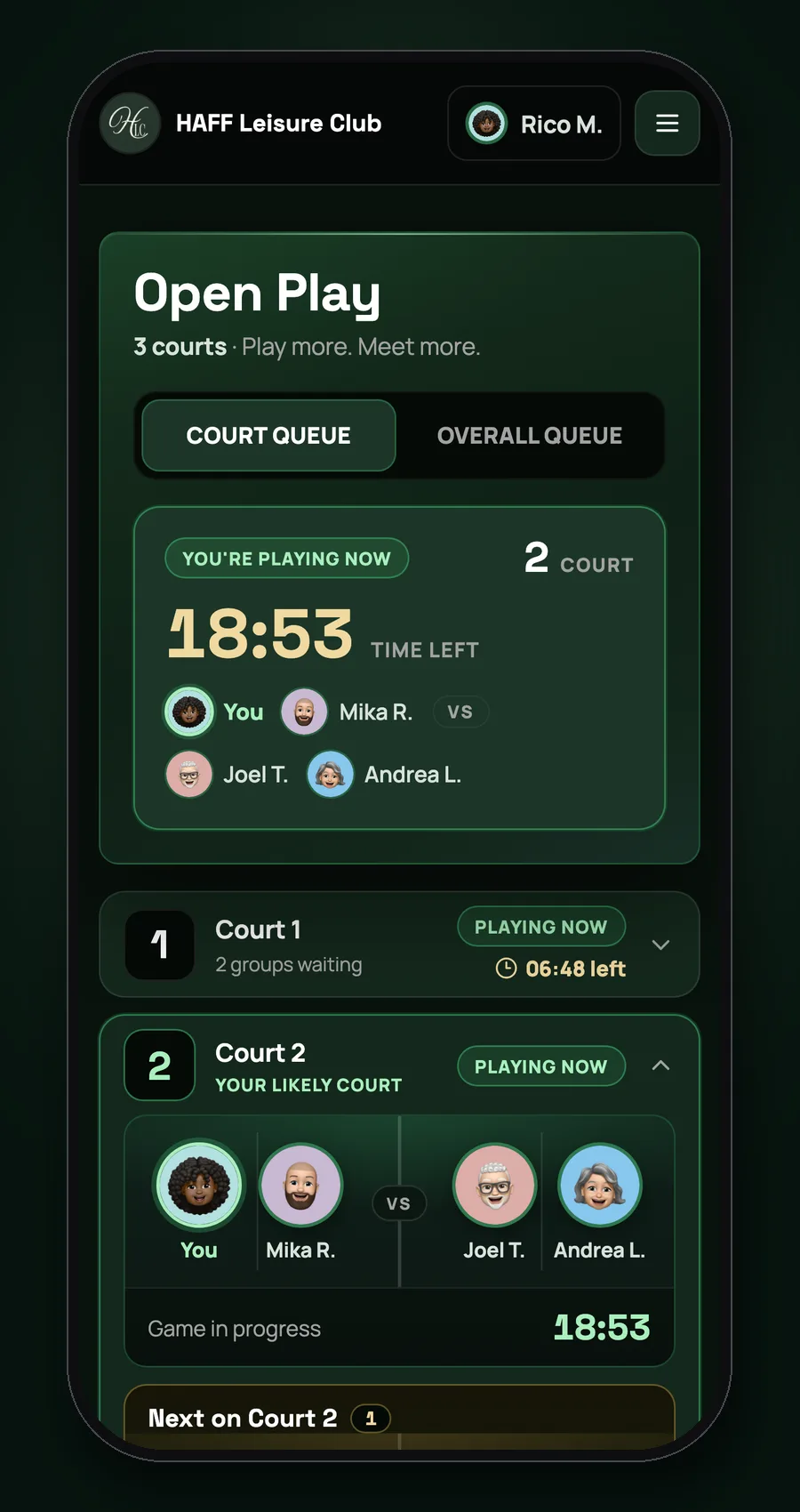
01Member phone
Your game on your phone
Players see their stack, the court they will likely get and a live countdown, then a clear call when the court is theirs.
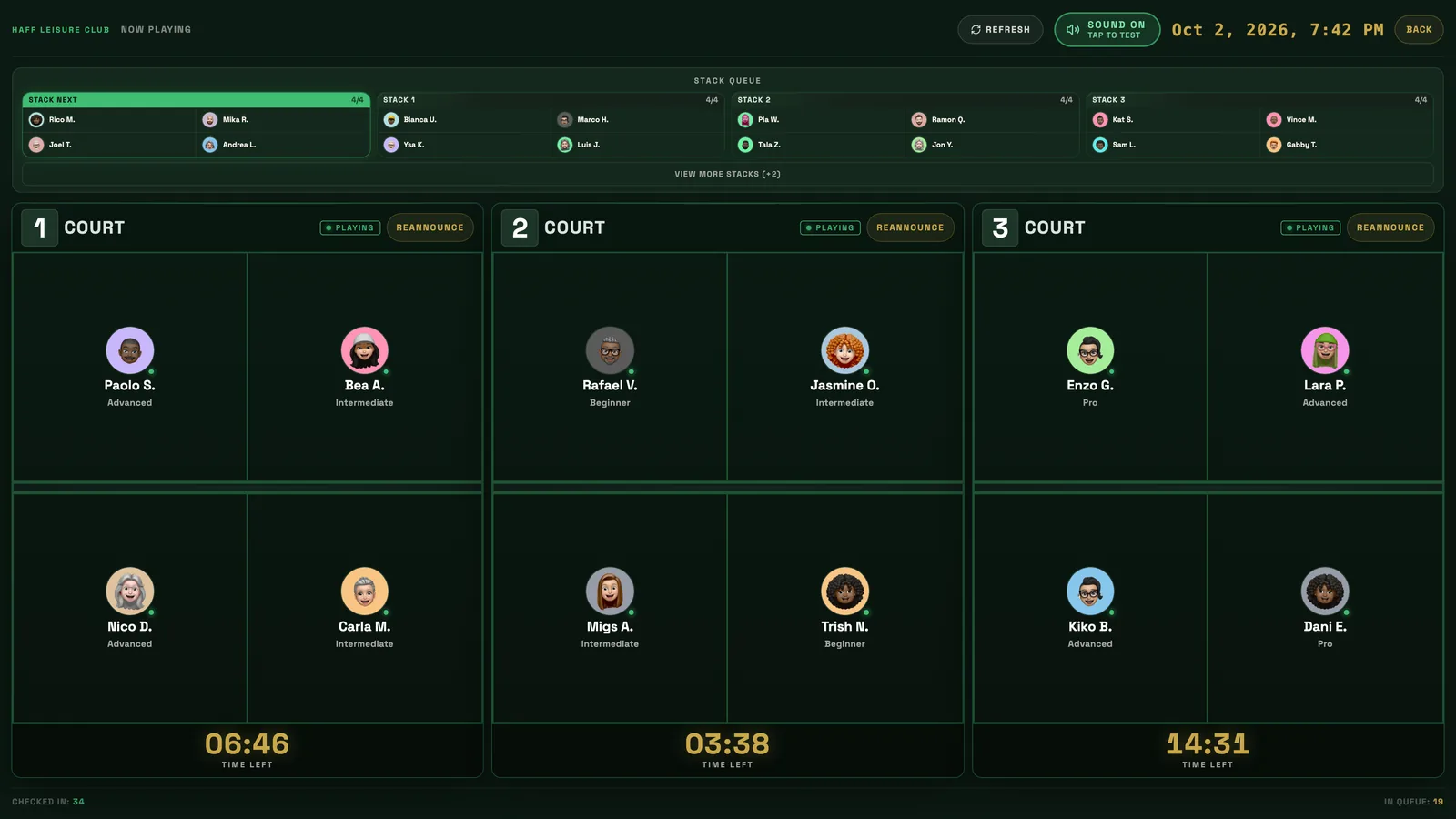
02TV board
TV board for the floor
Three courts, the stack queue and every timer on the club screen, readable from across the room.
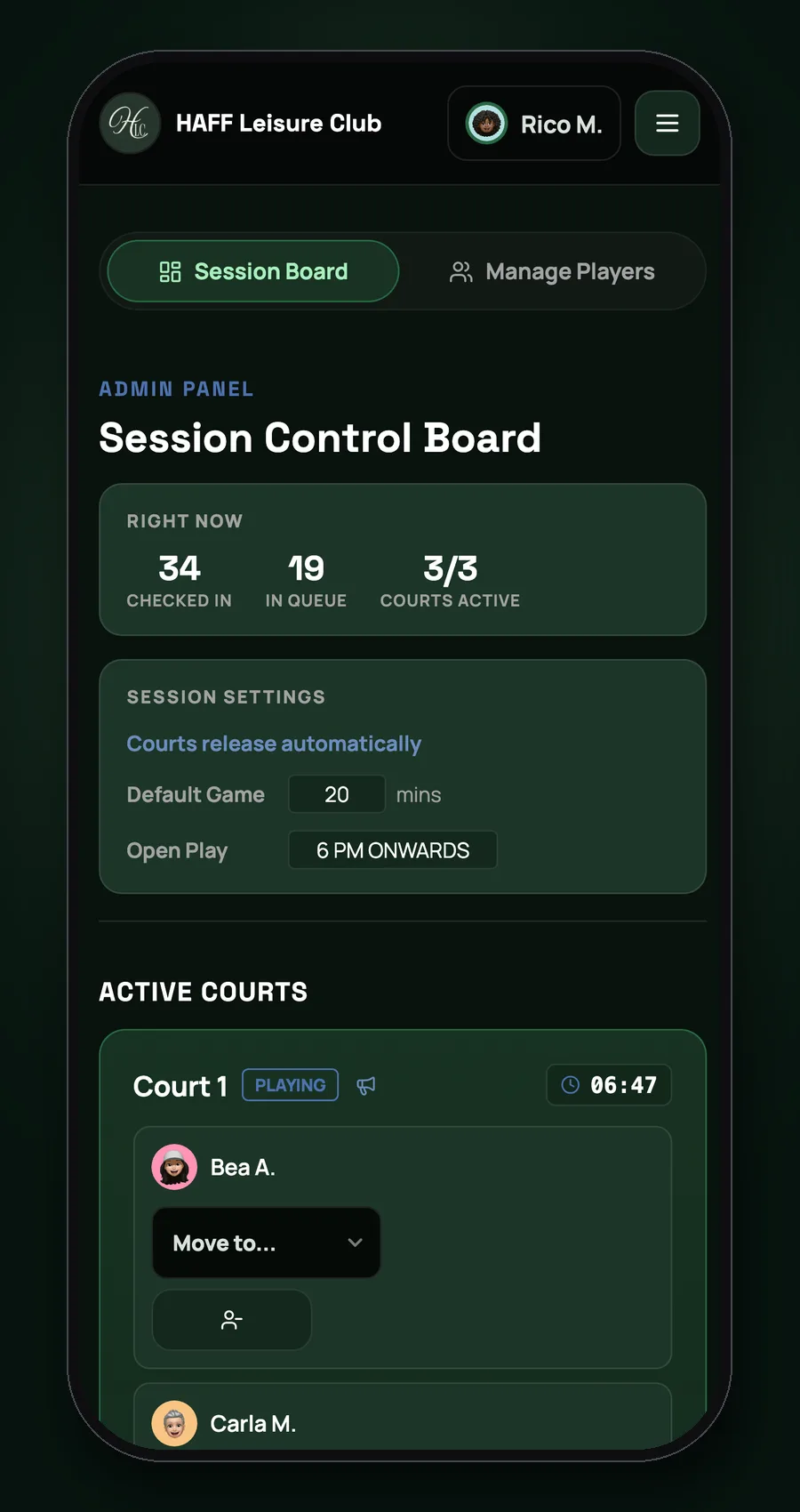
03Staff admin
Session control board
Staff check players in, manage stacks and run the courts from one admin screen.
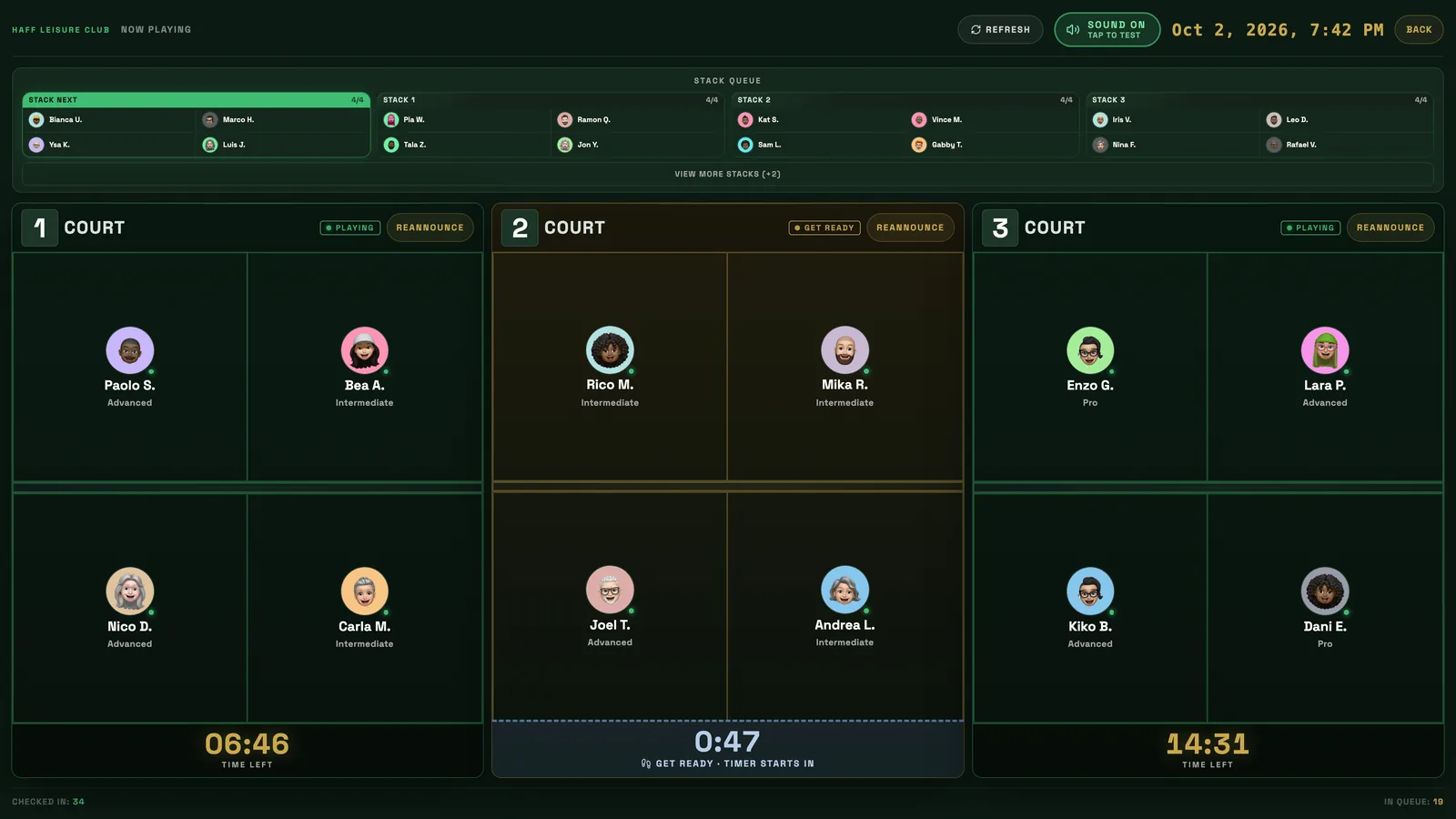
04TV board
Get ready, then go
The next group gets a get-ready countdown and the game timer starts by itself after a short walk-over.
05TV board
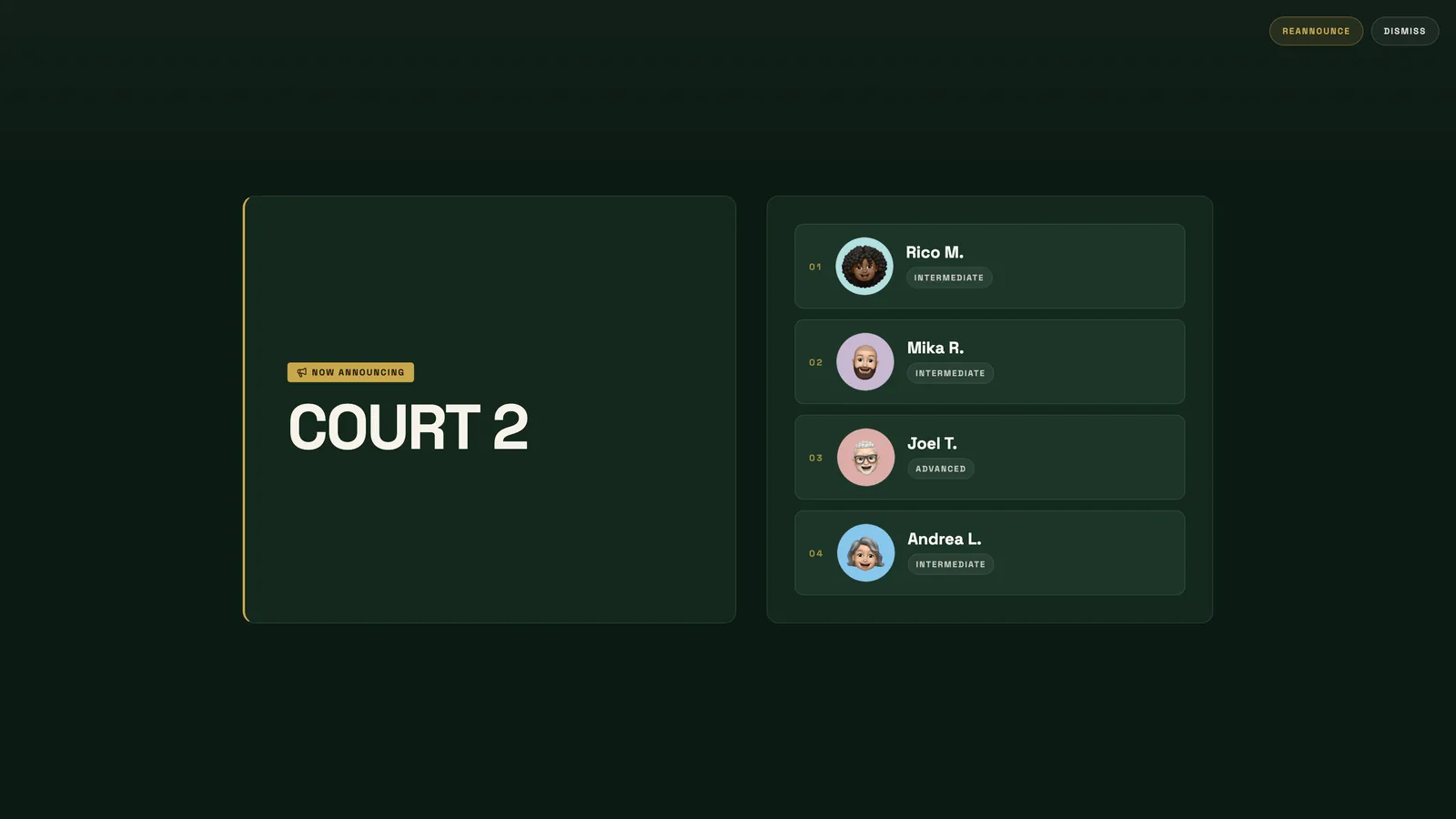
Courts called by name
The TV announces the court and shows who is on it, with a spoken call.
06Member phone
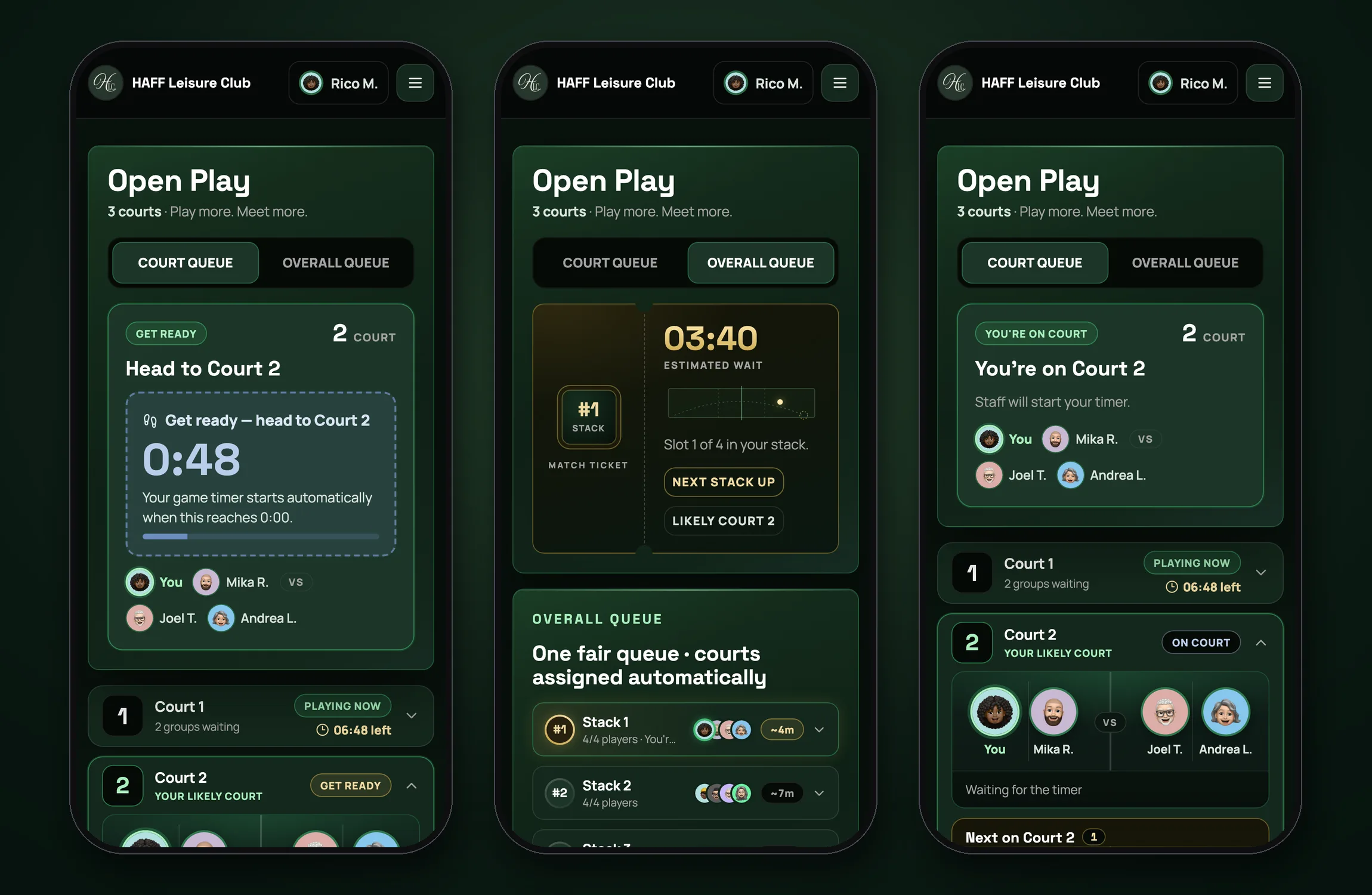
One fair queue, every state
Get ready, the overall queue and on court: one live queue, shown the same way on every phone.
The Club Floor
Haff Leisure Club runs open play sessions on three courts. The app replaces the whiteboard: players check in, form stacks and wait their turn, while staff manage the session from an admin console.
It is a React and TypeScript single-page app on Vite, backed by Supabase for auth, data and realtime, and deployed on Vercel.
Courts, Timers and Queue
Court rules live in plain functions that are tested against the compiled code: when a game has finished, when a new group has taken over a court, and which stack to seat next.
A server job releases finished courts and seats the next stack, so the board stays correct even when no staff phone is open. Wait estimates count every court, including ones nobody has used yet this session.
TV Board and Announcements
A TV page shows courts, queue and announcements on the club screen. Staff can post banners, full-screen curtains and overtime notices, and the board can announce when time is up.
Staff screens show a clear message when a device is offline or asleep, so a frozen board is never mistaken for a quiet club.
Access and Data Security
Row Level Security is enabled on the tables, anonymous visitors read from a public players view, and sensitive profile columns are guarded in the database. Accounts are created by an admin, and members can sign in with a username.
Avatars are stored in a storage bucket and cached by version, so check-ins do not trigger needless downloads.
Gallery
Process visuals
Explore next
Paddle Zone
One app for the players, the front desk and the TV at Paddle Zone Bacolod. Members always know their next game, courts run themselves, and every game adds to a player passport with levels, grades, honor and shareable cards.